
Image in, machine file out
Any image to the file your embroidery machine, cutter, laser, CNC or 3D printer needs.
Drop your artwork here
PNG, JPG or WEBP · transparent PNGs work best · up to 20 MB
Choose an imageor paste from your clipboard
Free tier, no card. Paid plans cancel anytime — see the refund policy.
MyImageConvert is a browser tool that turns one image into the file your machine needs. Choose an embroidery file (DST, PES, PEC, JEF, EXP, VP3, XXX), a layered SVG, a printable STL, a CNC toolpath or laser G-code. Every studio runs in your browser — nothing is uploaded.
- stitch formats written
- 7DST · PES · PEC · JEF · EXP · VP3 · XXX
- machine types served
- 5Embroidery, cutter, laser, CNC and 3D printer
You don’t have to learn digitizing. Bring the artwork and the studio works out the stitches — then you tune the ones that matter.
New to this?Step-by-step tutorials·Free sample design
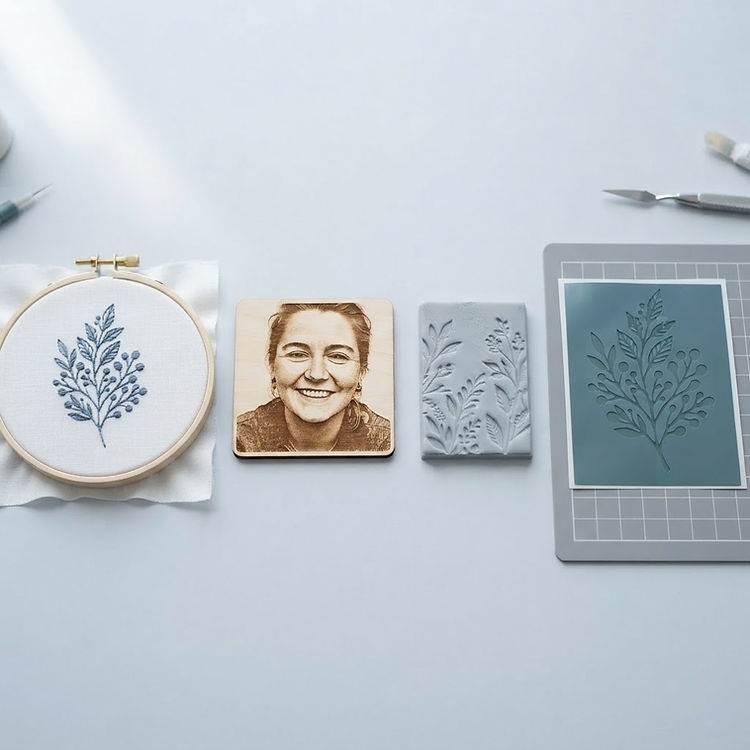
What comes out
One upload, six machine-ready files.
Each studio does one job properly — its own preview, its own settings, its own file — so nothing is a watered-down version of something else.

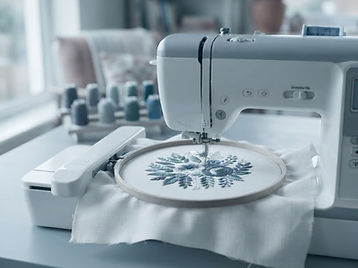
Embroidery pattern
DST · PES · PEC · JEF · EXP · VP3 · XXX· Embroidery Studio
Fill, satin and running stitches, color by color, sized to the hoop you are sewing in.

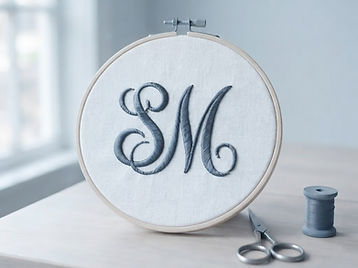
Hoop lettering
DST · PES · PEC · JEF · EXP · VP3 · XXX· Free
Type a name or a monogram and let it stitch — the site fonts or one you upload.

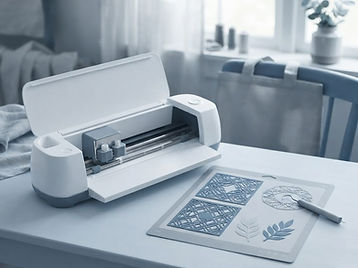
SVG cut file
SVG· Free
Clean outlines, one path per color, opening in Design Space at the size you choose.

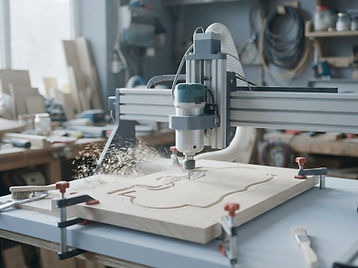
CNC toolpaths
G-code · .nc· CNC Studio
Pocket, profile and carve, planned around your machine, bit and material.

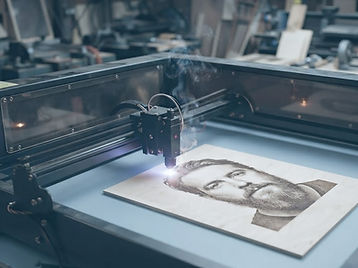
Laser run
G-code· Laser Engraving
Engrave photos, score lines and cut outlines — flat stock, cylinders or a warped board.

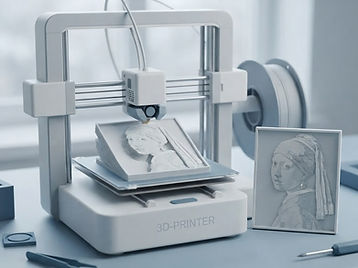
3D print file
STL· 3D Print Studio
Reliefs from artwork, parts from sketches, or a real object measured with the camera.
Have the object in your hand? Scan it with the camera and print the body it builds.
Want more room for them? The embroidery plans start at $10 a month, with hoop text, then manual embroidery and the Draw studio as you climb.
Digitizing in Wilcom, Pulse, Melco Design Shop, Brother My Design Center or Bernina? Each opens the DST, EXP or PES above and saves its own working file — EMB, EM, PXF, OFM, CND, PM9, ART. Which file opens where.
How it works
Three steps, then it is on your machine.
Bring in the artwork
Drop a PNG, JPG or WEBP on the uploader above, paste one from the clipboard, or open a design you saved earlier.
Pick the studio
Embroidery, cut file, CNC, laser or 3D print. The image travels with you, so there is no second upload.
Shape it and download
Set colors, density, size or toolpaths, watch the result run, then take the file your machine reads.
What to expect
- Runs in your browser — your artwork is never uploaded to a server.
- No watermark, no export queue, no per-file charge.
- Free opens every studio — embroidery, laser, CNC, 3D print and the camera scan — with 2 saved projects at a time and 5 projects a month, saves and downloads together. Each studio plan is $10 a month and lifts that, or all four at $28.
Best results come from clean, high-contrast artwork — a logo, lettering, bold shapes. Photos have no crisp edges to stitch, so they read as texture.
Nothing to install and nothing added to your browser: the artwork is converted in the tab you already have open, and kept against your account only when you choose to save it. What the site keeps.
Is MyImageConvert safe to use?
Yes. MyImageConvert is a website, not a program: there is no installer, no browser extension and no add-on, and it does not change your homepage, new-tab page or search engine. Images are opened, cleaned and converted inside the browser tab, so a picture is not uploaded in order to be converted. It goes to private storage only when you choose to save a design to your library. Payment for a plan is taken by PayPal, so no card details reach this site.
Does MyImageConvert install anything on my computer?
No. Nothing is downloaded or installed to use the site, and nothing comes bundled with it: there is no setup wizard, no toolbar and no extra program. You open the page in Chrome, Edge, Firefox or Safari and work there. If a page ever offers you a file to download in order to use MyImageConvert, it is not from this site.
Do I need a browser extension or add-on?
No extension and no add-on are needed or offered. Every studio runs on the page itself, which is why the same account works on a Windows PC, a Mac, a Chromebook or an iPad without installing anything on any of them.
Will it change my browser or search engine?
No. MyImageConvert does not touch your browser settings, your default search engine, your homepage or your new-tab page, and it installs nothing that could. What the site keeps on your device is a sign-in token, the language you pick and, while you work, the file being built — nothing that changes how the browser behaves.
What happens to my photos and images?
A picture you bring into a studio is read and converted on your own device, so it is not sent to a server to be processed. It is uploaded only when you press save, and then it sits in private storage tied to your account, where only you can open it. Deleting the design deletes the file.
Do I have to give an account to try it?
You can open any studio and set a design up before paying anything. An account, which takes an email address and no card, is what a save or a download is attached to, and a Free account opens every studio, with two saved projects at a time and five projects a month, saves and downloads together.
Learn before you sew
Sew a free sample first.
Free download
A two-color sprig, sized for a 4 × 4 hoop
The exact hoop, width, fabric and stitch settings to use, plus a walkthrough from download to finished patch. Open it in the embroidery studio with a free account; the stitch file itself needs the Embroidery Studio plan.
Tutorials for every studio
Level one tours each studio, level two goes panel by panel, level three covers the tools you use everywhere.
PNG to SVG converter
Drop in a PNG and take out vector paths, a layer per color, at the size you choose.
Convert image to SVG
JPEG, PNG or WebP into a file you can cut, engrave or plot — and what each format needs.
Image to STL
A picture or a line of lettering as a printable relief, watertight and in millimeters.
Hoop sizes
What each field holds in millimeters, and how to pick the smallest one a design fits.
Logo to embroidery
The width to set for a chest, cap or sleeve, and the stitch choices that keep lettering readable.
Machine walkthroughs
Which file to export for your machine, and the steps from USB stick to first stitch.
Image to embroidery file
Everything the conversion does, the limits worth knowing, and the file formats.
Free account
You can convert without one. An account is what keeps it.
Signing up takes an email and a password, and no card. It saves your designs and your hoop and stitch settings, keeps your library in folders with tags, and lets you download the finished files. Free opens every studio, with 2 saved projects at a time and 5 projects a month; each studio plan is $10 a month and lifts those limits, and the Complete Studio at $28 carries all four plus the camera scan.
Plans
Start free. Move up when a machine does.
Free opens every studio — embroidery, laser engraving, CNC and 3D print included — with 2 saved projects at a time and 5 projects a month. Each studio plan is $10 a month and lifts those limits, and the Complete Studio at $28 carries all four plus the camera scan. Pay monthly, or pay for a year and get two months free.
- Free
- Free, forever
- Embroidery Studio
- $10 / month
- Laser Engraving
- $10 / month
- CNC Studio
- $10 / month
- 3D Print Studio
- $10 / month
- Complete Studio
- $28 / month
Every studio is $10 / month, and the Complete Studio that carries all four is $28 / month — the whole ladder is on the pricing page.